

Function Declaration vs Function Expression in JavaScript
1. Introduction – Why We Need Functions
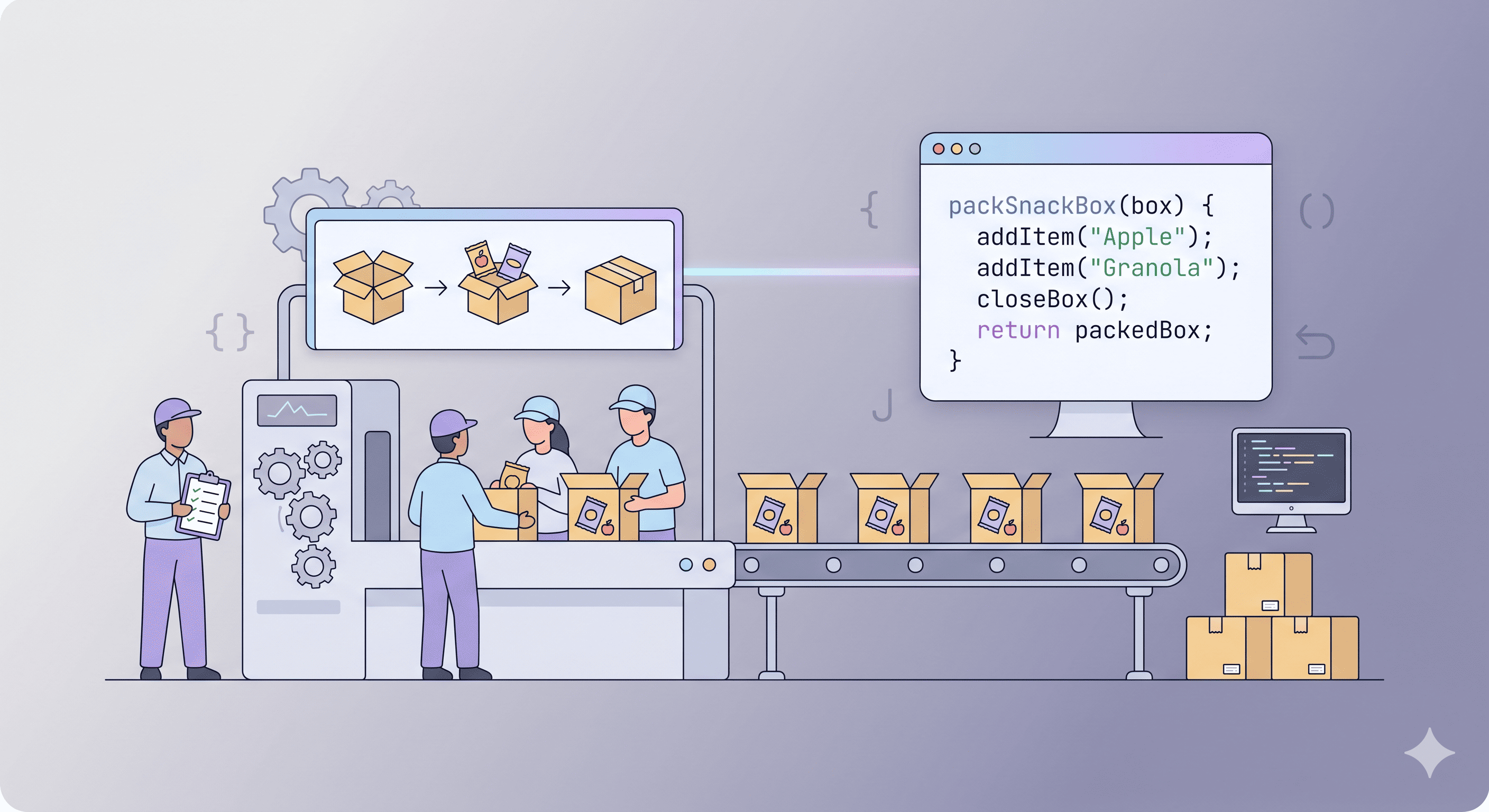
Imagine a small but busy factory that produces packaged snack boxes. Every single day, the workers on the assembly line have to perform a very specific set of tasks. They must take two items, combine them together, pack them securely into a cardboard box, and seal it.
They have to repeat this exact same process hundreds or even thousands of times a shift.
If the factory manager had to walk up to every single worker and repeat the detailed instructions for every single box they packed, nothing would ever get done. The factory would grind to a halt. Instead, the manager writes a standard procedure—a step-by-step instruction sheet—and places it at the workstation. Now, whenever a worker needs to pack a box, they just trigger that standard procedure.
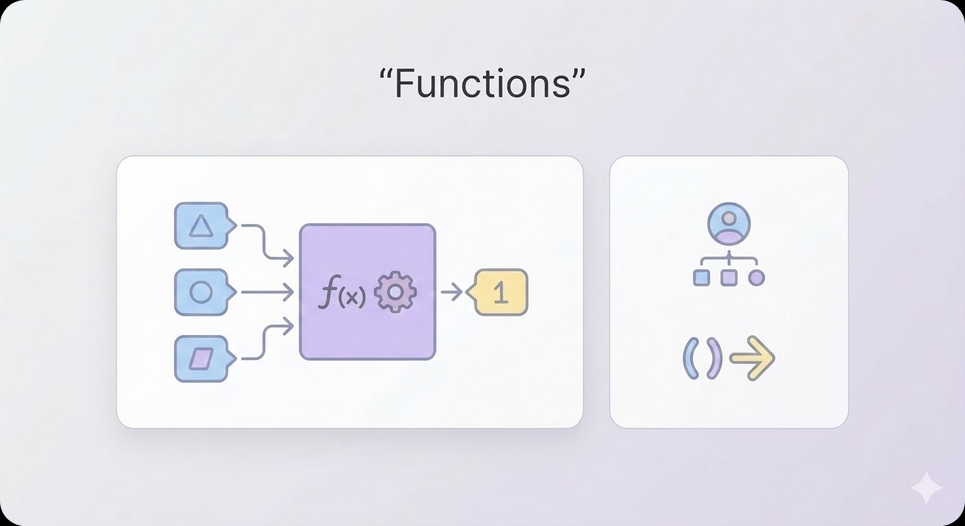
In programming, functions work exactly like that standard procedure. A function is simply a reusable block of instructions that performs a specific task.
Functions are incredibly important because they allow us to avoid repeating code. Instead of writing the same instructions fifty times, we write them once and reuse them. This makes our programs highly organized, much easier to read, and significantly easier to maintain when we need to make changes in the future.
2. What Functions Are in JavaScript
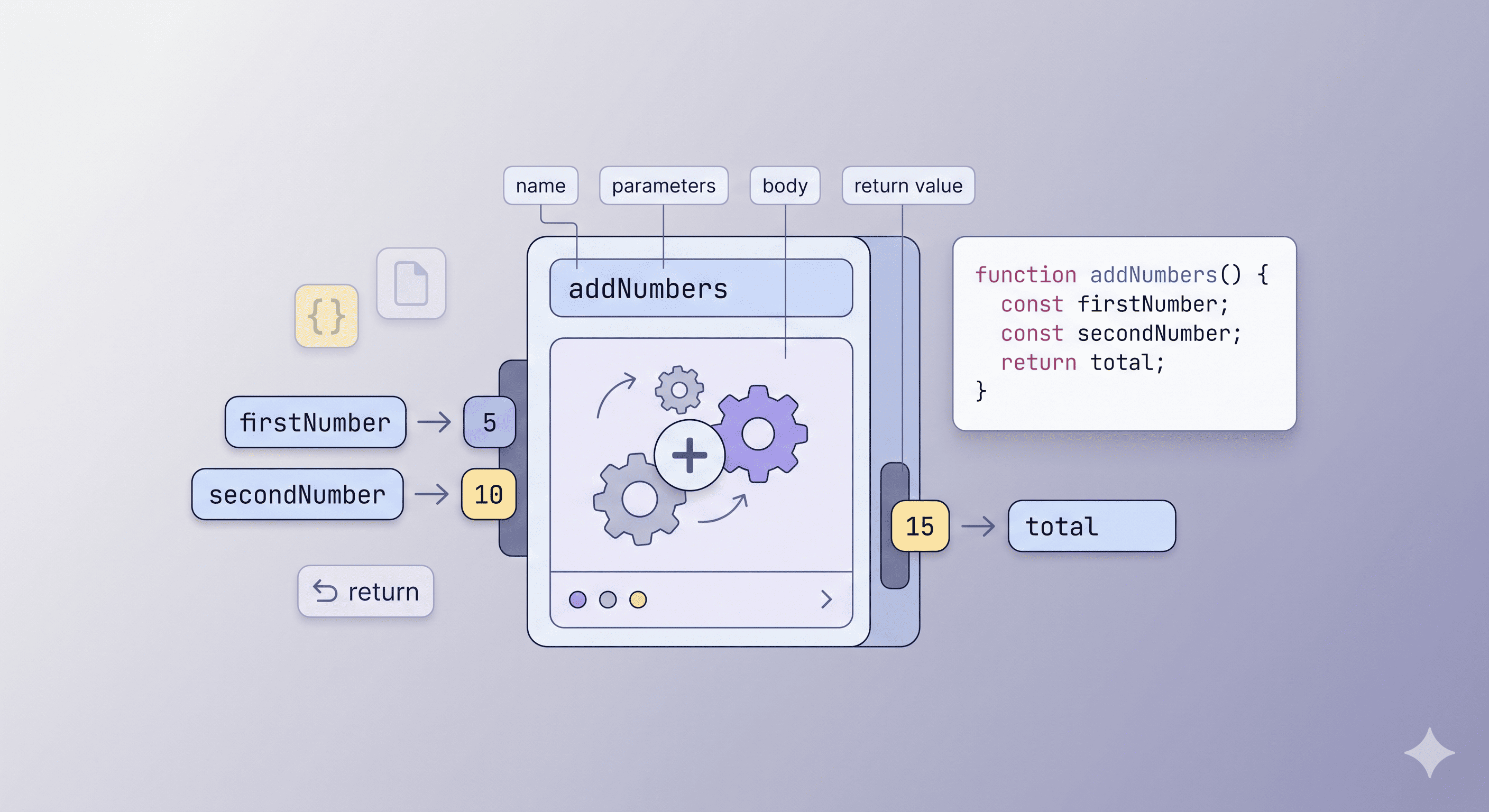
At its core, a function in JavaScript is just a set of instructions grouped together to perform a single action. Think of it as a specialized machine on our factory floor. You feed materials into the machine, the machine processes them based on its internal instructions, and it hands you back a finished product.
Let us look at a simple example: a machine designed to add two numbers together.
To build this, we need to understand the main parts of a function:
The function name: What we call our machine so we can use it later.
The parameters: The raw materials we feed into the machine.
The function body: The actual step-by-step instructions hidden inside the machine.
The return value: The final product the machine hands back to us.
Here is what that looks like in code:
function addNumbers(firstNumber, secondNumber) {
  const total = firstNumber + secondNumber;
  return total;
}
In this example, addNumbers is the name. The firstNumber and secondNumber are the parameters we feed into it. The code inside the curly braces {} is the body, and the return statement is the machine giving us the final total.
3. Function Declaration
The most traditional way to define a function in JavaScript is called a function declaration.
This is the standard way of building a permanent machine on our factory floor. When you declare a function, you are officially registering it in your program so that anyone, anywhere in your code, can use it.
The syntax for a function declaration is very straightforward. It always starts with a specific keyword.
function add(a, b) {
  return a + b;
}

// Calling the function
const result = add(5, 10);
console.log(result);
Let us break down the structure: First, we use the function keyword to tell JavaScript we are building a machine. Next, we give it a clear function name, which is add. Then, we define the parameters (a, b) inside parentheses. Finally, we write the function body inside curly braces.
To use the function, we simply "call" it by writing its name followed by parentheses containing the specific data we want to process.
4. Function Expression
JavaScript is a very flexible language. It allows us to do something quite interesting: we can take a function and store it directly inside a variable.
When we define a function this way, it is called a function expression.
Instead of building a permanent machine with a giant nameplate on it, we are writing a set of instructions and handing them to a specific worker (the variable).
Here is the exact same addition logic, but written as a function expression using the const keyword:
const add = function(a, b) {
  return a + b;
};

// Calling the function
const result = add(5, 10);
console.log(result);
Notice the differences here. The function itself has no direct name between the function keyword and the parentheses. It is what we call an anonymous function. Instead of naming the function directly, the entire block of instructions is stored inside the add variable. When we want to use the instructions, we call the variable name exactly as we would call a normal function.
5. Declaration vs Expression (Side-by-Side)
Now that we have seen both, let us compare them side-by-side to understand the differences in simple terms.
Here is the visual comparison in code:
// Function Declaration
function calculateTotal(price, tax) {
  return price + tax;
}

// Function Expression
const calculateTotal = function(price, tax) {
  return price + tax;
};
To make the differences completely clear, here is a comparison table:
| Feature | Function Declaration | Function Expression |
|---|---|---|
| How it is defined | Starts with the function keyword followed by a name. |
Starts with a variable declaration (const or let) assigned to a function. |
| Stored in variable | No, it stands alone as an independent block. | Yes, the function is the value of a variable. |
| Hoisting behavior | Fully available before the code executes. | Not available until the exact line of code is reached. |
| Common usage | Defining main program logic and global utilities. | Passing functions as arguments or limiting where a function can be used. |
Looking at the table, the visual syntax is the most obvious difference. However, the most critical difference between the two lies in how JavaScript prepares them behind the scenes before the factory even opens for the day. This brings us to a concept called hoisting.
6. The Idea of Hoisting (Simple Explanation)
Hoisting sounds like a complicated technical term, but we can understand it easily using our factory analogy.
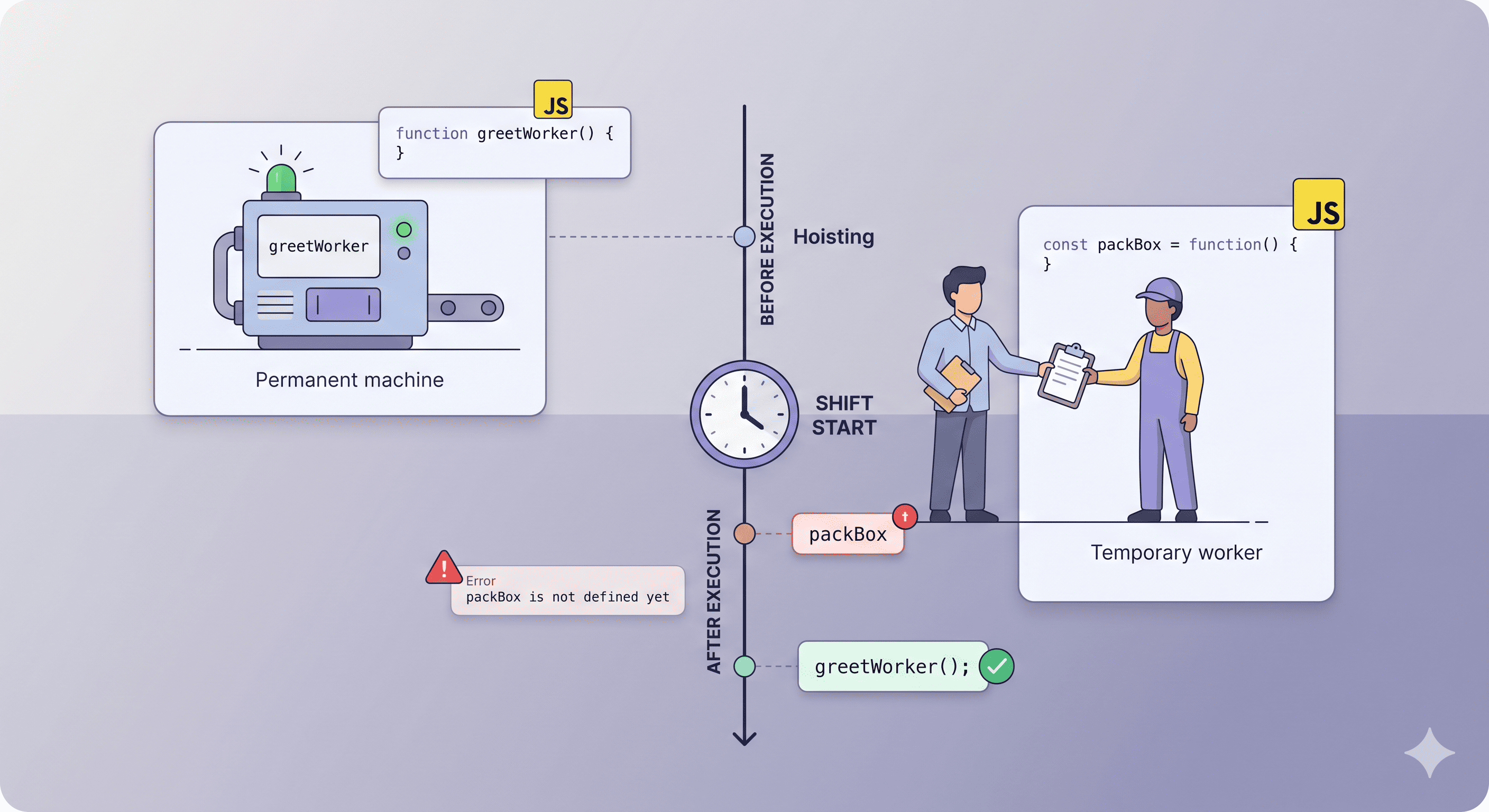
Imagine the factory manager comes in before the morning shift begins. The manager walks the entire factory floor to prepare for the day. During this walk, the manager takes note of all the heavy, permanent machines and makes sure they are plugged in and ready to go.
However, the manager does not assign specific tasks to the temporary workers until the shift officially starts and they clock in.
In JavaScript, this exact same preparation happens when your code runs.
Some functions (the permanent machines) are available to use even before the code reaches the line where they are written. Other functions (the temporary workers) are not ready until the specific line of code executes.
Function declarations are hoisted. The JavaScript manager prepares them before anything else happens. Function expressions are not hoisted. They only become available when the code runs step-by-step from top to bottom.
Let us see this in action:
// This works perfectly!
// The declaration is hoisted and ready before we call it.
greetWorker();

function greetWorker() {
  console.log("Good morning!");
}
Now look at what happens with an expression:
// This causes an error!
// The expression is not ready yet.
packBox();

const packBox = function() {
  console.log("Box is packed.");
};
If you try to call a function expression before you define it, JavaScript will throw an error because that specific "worker" has not been handed their instructions yet.
7. When to Use Each Type
Since both methods achieve similar results, you might wonder when you should use one over the other.
Function declarations are highly useful when you are defining the main logic of your program. If you are writing a utility that needs to be accessed anywhere in your file, a declaration is perfect. Because of hoisting, you can put all your function declarations at the very bottom of your file, keeping the top of your file clean and focused on the main storyline of your code.
Function expressions are incredibly useful when you want to treat a function like a piece of data.
For example, function expressions are perfect when you need to assign functions to variables dynamically based on a condition. They are also the standard choice when you need to pass a function into another function as an argument, which is a common pattern in JavaScript known as a callback.
// Passing a function expression as an argument
setTimeout(function() {
  console.log("Time for a break on the assembly line!");
}, 1000);
8. Real-World Mental Model
To permanently lock this concept into your memory, keep the simple factory analogy in your mind.
Think of a Function Declaration as a permanent machine bolted to the factory floor. Because it is a permanent fixture, the factory manager knows exactly where it is and how it works before the workday even begins. You can walk up to this machine and use it at any time, from anywhere on the floor.
Think of a Function Expression as a temporary worker assigned to a specific task for the day. This worker does not know what their job is until the manager walks up to them, hands them a clipboard with instructions, and says, "You are now responsible for this task." If you try to ask the worker to do the job before they receive that clipboard, they will not know what to do.
This mental model maps perfectly to how JavaScript handles the two syntaxes.
9. Practice Assignment
The best way to solidify your understanding of functions is to write them yourself. Here is a small exercise to practice what you have learned.
Your assignment tasks:
Write a function declaration that takes two numbers as parameters and multiplies them together.
Write the exact same multiplication logic, but format it as a function expression.
Call both functions, pass some numbers into them, and print the results to the console.
Finally, try moving your function calls to the very top of your file, above where the functions are written. Run the code and observe the error you get from the expression, and the successful result you get from the declaration.
Take your time and experiment with the code. Making mistakes and fixing them is how you learn to be a developer.
10. Conclusion
Functions are the building blocks of any good software program. They help us group instructions together, avoid repeating code, and keep our logic clean and organized.
As we have seen, JavaScript provides two main ways to define these blocks of instructions. We can use the traditional function declaration, which behaves like a permanent machine, or we can use a function expression, which stores instructions in a variable like a dynamic worker.
While they look similar, declarations and expressions behave slightly differently behind the scenes. Understanding the concept of hoisting—knowing that declarations are prepared in advance while expressions are read top-to-bottom—will help you avoid many common errors as you write more complex programs.